
The prototype worked.Now make it scale.
AI-built apps are excellent at showing what a product should be and terrible at surviving a thousand real users. I rebuild them in React Native — keeping every product decision you validated and none of the code that cannot go to production.
From vibe-coded prototype to a real React Native app
The gap between an app that demos well and an app that holds up in the stores is not visual polish. It is everything underneath the screens.
What I keep
What I do not keep
It has to stay smooth at 60fps
The bundle is public
The network is not a given
Two reviewers stand between you and users
One app, skinned for every brand you run
If you need a solid mobile app more than you need a bespoke one, start from a product that already works and put your brand on it. One React Native app builds into a different installable product per brand, and one multi-tenant backend runs them all — content, sign-in, push, analytics and webhooks included. You are paying for configuration and launch instead of a ground-up build.

Opposite looks, and not one line of code between them
Everything that differs — the name, the bundle id, colours, fonts, copy and screens — lives in one folder per brand. The rest is shared, so every improvement reaches every brand.
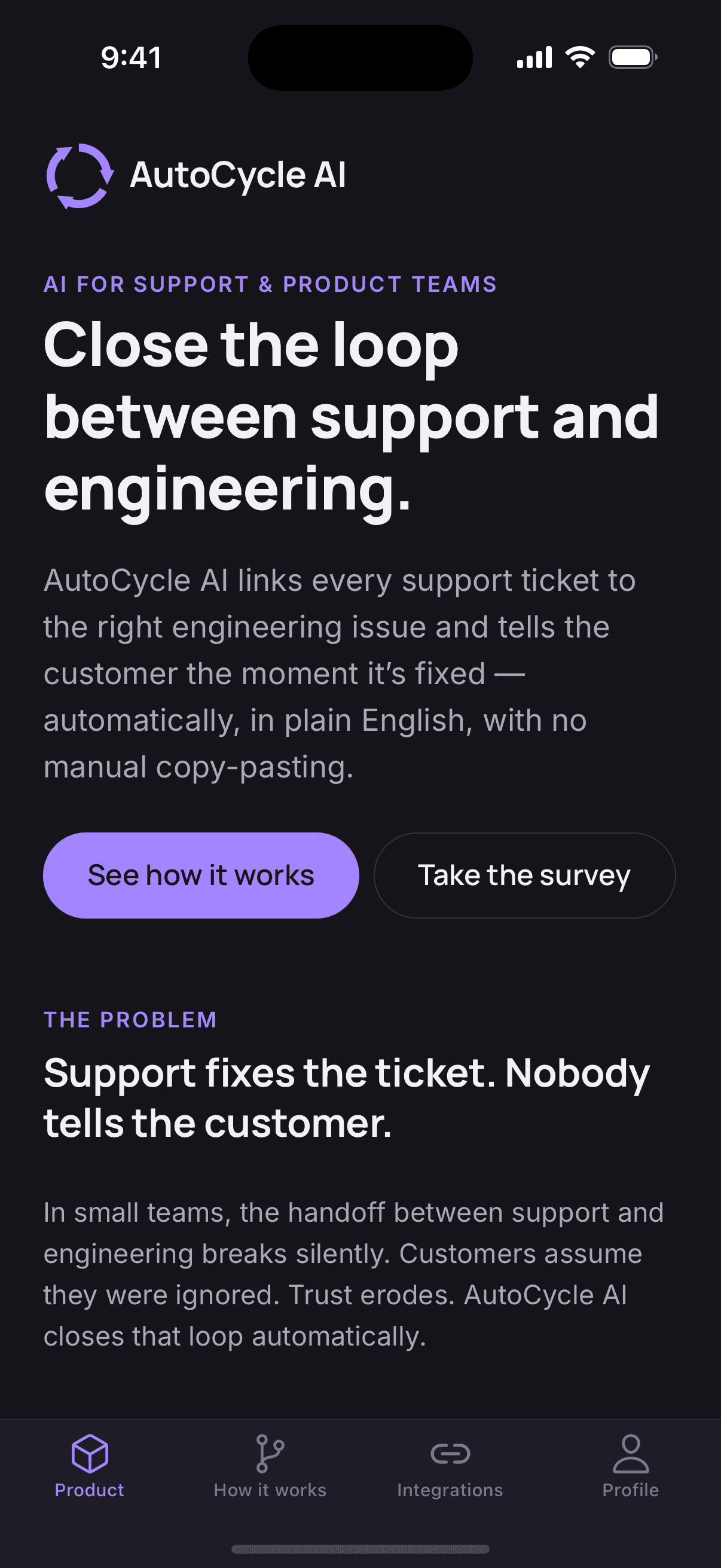
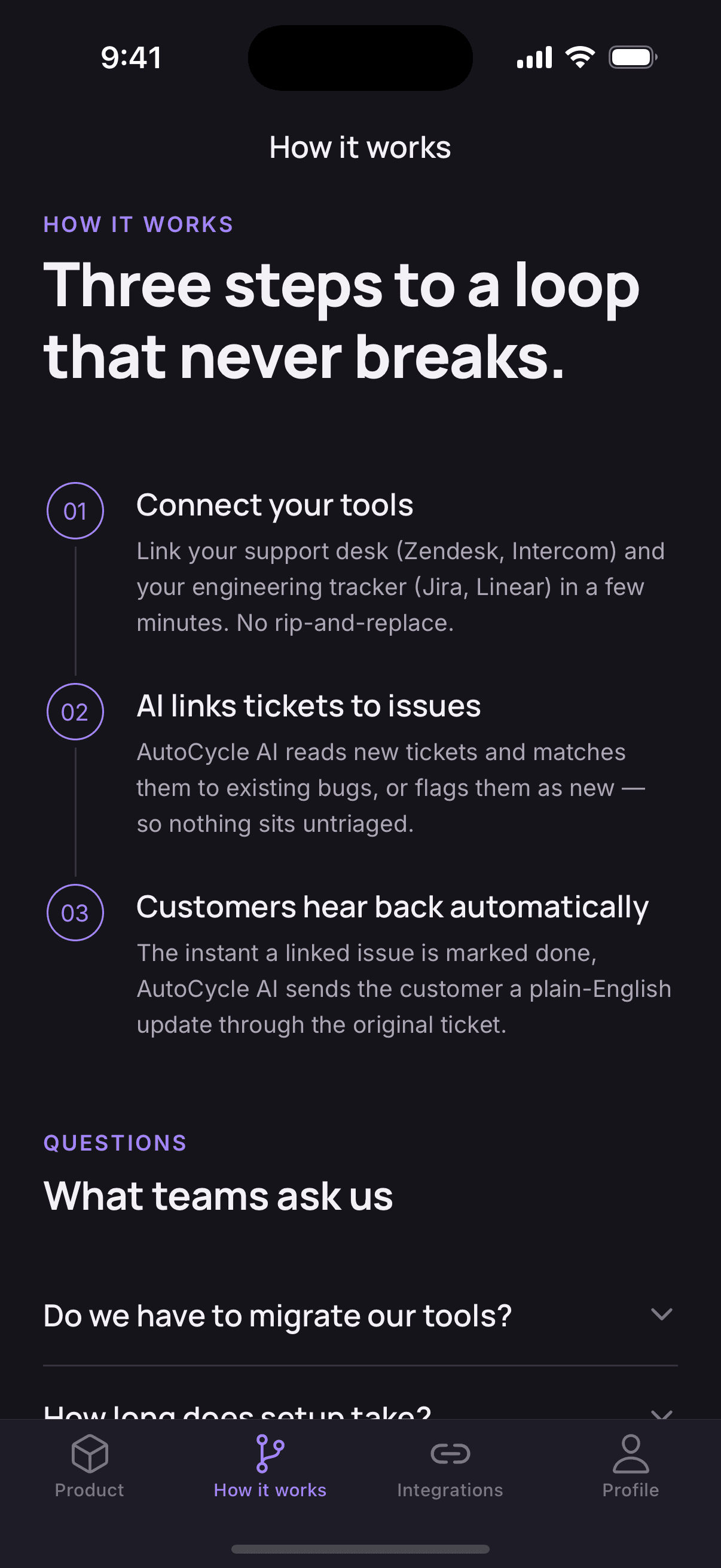
AutoCycle AI
BRAND=autocycleDark theme, purple accent, four tabs built for a product launch.
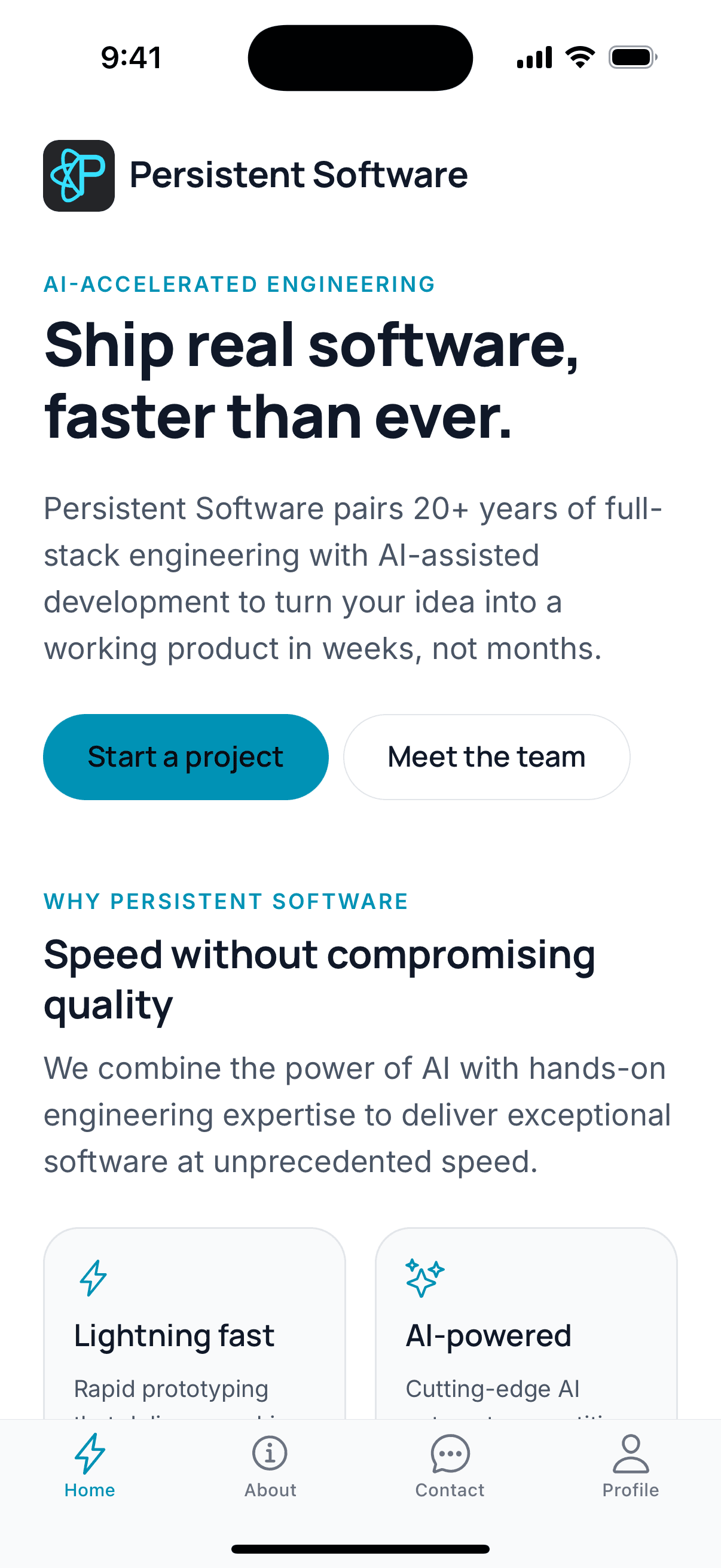
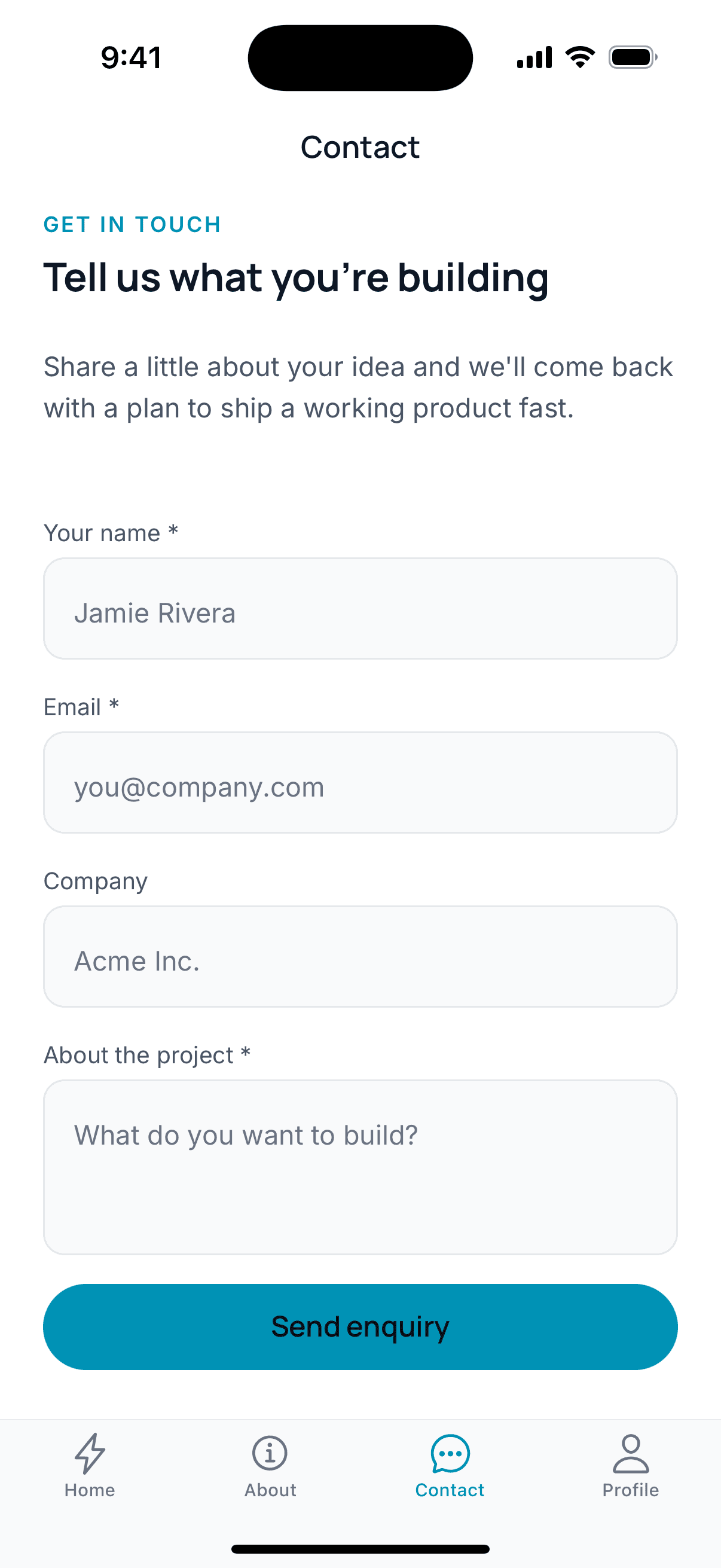
Persistent Software
BRAND=persistentsoftwareLight theme, cyan accent, a studio app that takes enquiries.
Skinned to your brand, not badged with mine
Configured for each brand
Published under your accounts
One codebase behind all of them
Live in weeks, not quarters
You own what ships
Each brand runs its own app without calling you
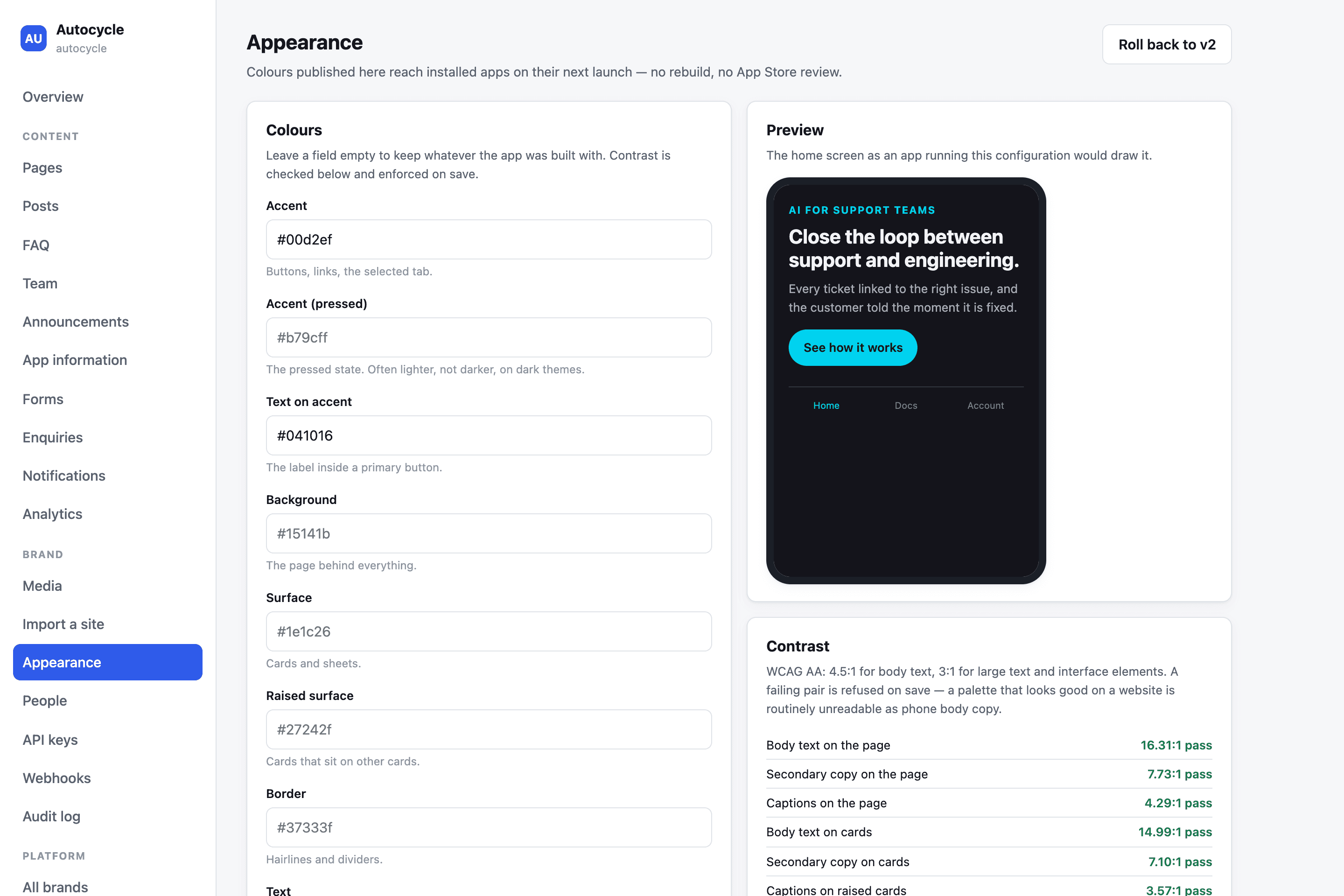
Restyle the app without a release
Change colours in the dashboard and watch the phone preview update as you type. Installed apps pick it up on their next launch — no rebuild, no App Store review — and a colour pair that fails contrast is refused, with the numbers.
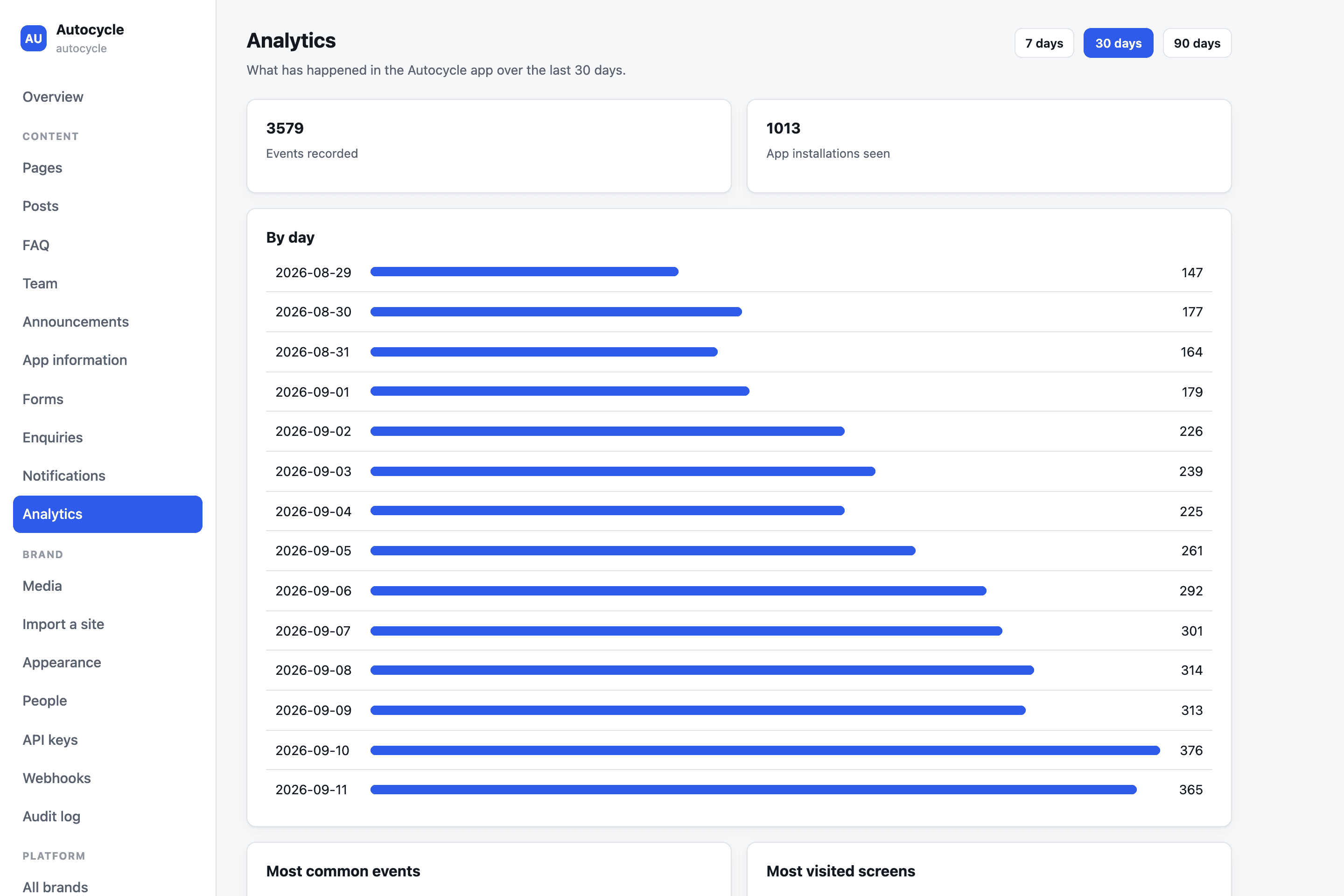
See what people actually do
Events by day, the most visited screens and installations seen, per brand. Events queue on the phone and send in batches, so a dropped connection never means a lost or double-counted tap — and nothing that identifies a person is stored.
From your website to a brand in one step
Paste a site and its colours come back as a brand. Every text pair is checked for contrast first, so a palette that looks fine on a desktop but is unreadable on a phone never ships.

One backend, every brand sealed off
Every brand runs on the same backend, and the database itself refuses to return another brand’s rows. With no brand bound, a query returns nothing at all — isolation is enforced below the code, not left to it.

Anything specific to your operation gets built as a custom module on the same foundation, so it upgrades with the rest of the app instead of becoming the reason you cannot upgrade.
Screenshots are from the running app and dashboard, filled with example data — the people and figures shown are not real customers.
Bring your backend, or let me build one
Most companies asking for a mobile app already have the data somewhere. The app should adapt to your systems — replacing them is a separate decision, made on purpose, not smuggled in by a mobile project.
Integrate with what you have
I meet your services where they are, however old they are. The integration layer absorbs the awkwardness so it never reaches the app or your backend team.
- →A typed API client generated from your existing endpoints
- →REST, GraphQL, gRPC — and SOAP or XML behind a thin adapter
- →Your identity provider stays yours: OIDC, SAML, Cognito, Auth0, Firebase
- →A small backend-for-frontend when your APIs are too chatty for mobile
- →No schema changes and no migrations demanded of your team
- →Contract tests so a server change cannot silently break the app
Or I build it to your spec
No backend yet, or one you would rather not extend. I build exactly what the app requires, sized to your traffic and your budget instead of a hypothetical future one.
- →Postgres, a versioned API, and infrastructure as code on AWS
- →Accounts, roles, and permissions designed around how you operate
- →Push notifications, file storage, search, and scheduled jobs
- →Payments and subscriptions through Stripe or the app stores
- →An admin console your team uses without calling an engineer
- →Yours outright — the code, the accounts, the deployment pipeline
A signed build on your phone in two weeks
You get a new one every week after that. Nothing about the timeline depends on you trusting a status update.
- Week 1
Pin down what the app actually is
I go through your prototype or your requirements screen by screen and write down the behaviour — including the parts that only exist in someone’s head. That document is what I build against, and it is yours whether or not we continue.
- Weeks 2–3
Foundation before features
Navigation, data layer, auth, theming and the build pipeline land first. Both stores get a signed internal build in the first two weeks, so distribution is never the thing that surprises you at the end.
- Weeks 3–7
Build the screens for real
Features ship in vertical slices — a real screen against real data on a real device, not a mock. You get a new TestFlight and Play internal build every week and can use the app while it is being built.
- Weeks 6–8
Make it survive the real world
Slow networks, small screens, large fonts, permission denials, expired sessions and low-end Android hardware. This is where most of the difference between a prototype and a product gets earned.
- Weeks 8–10
Submit, review, launch
Store listings, screenshots, privacy disclosures and account-deletion requirements handled for you. I drive the review process and turn around the reviewer’s notes rather than handing you a checklist.
Test on the phones your users own
Native where it matters
Tests on the paths that cost money
Ship without waiting on review
Notifications with a reason to exist
Know what happens after launch
Timelines above describe a typical single-product build. A white-label launch on an existing foundation is considerably shorter; an app with heavy hardware or offline requirements runs longer. I scope yours before quoting it.
Send me the app you already built.
Every engagement starts with a review of what exists today — a prototype, a spec, or a rough idea of the app your brand needs. You get the findings whether or not you hire me to build it.
- An honest read on what your prototype is worth keeping
- The features that stand between you and a store approval
- A phased plan with a real timeline and a real number